How a church gets started
These are the steps a church takes in Worship Wave today, with screens from the app. The church and people in them are made up. Churches are joining now through our founding church beta.
Step 1. Create your login
The person setting up the church creates a Worship Wave login with their email address and answers a short question about their age. Accounts are for people 13 and older, as section 3 of our terms explains.
Step 2. Set up your church
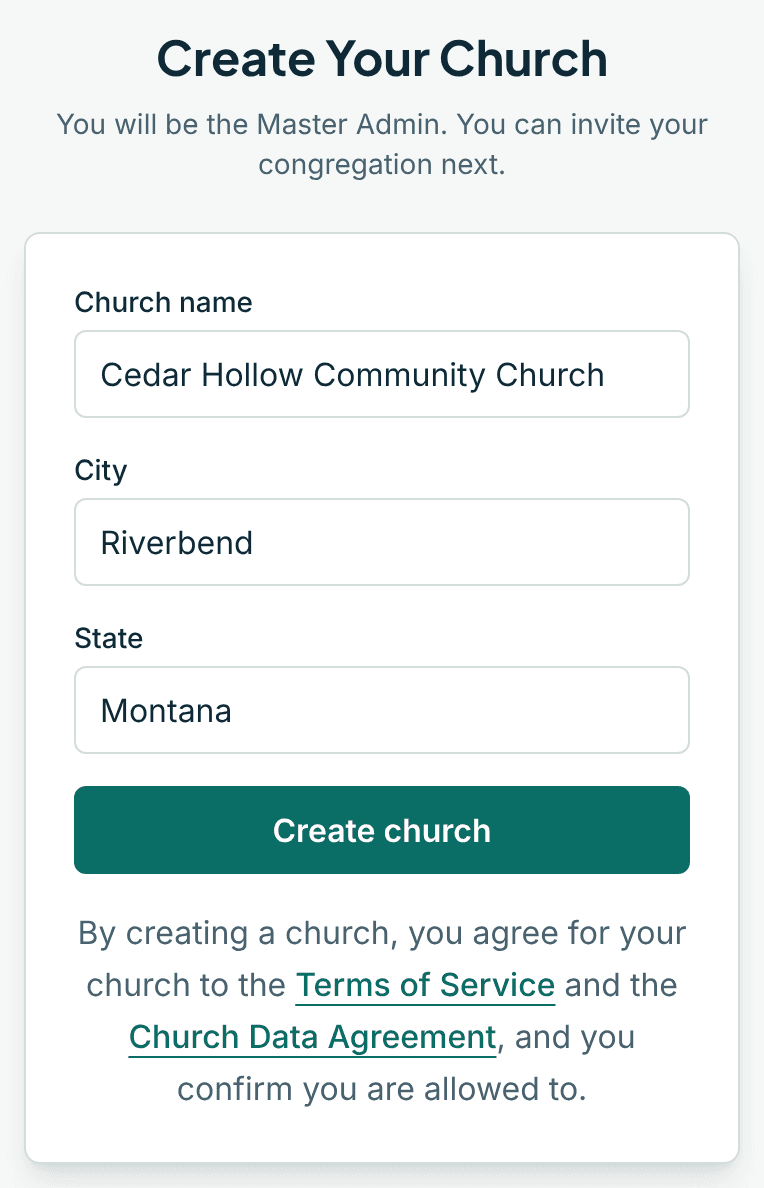
Type your church's name, city and state. The person who creates the church becomes its Master Admin, who can give other staff their roles later.
Step 3. Share your church link and QR code
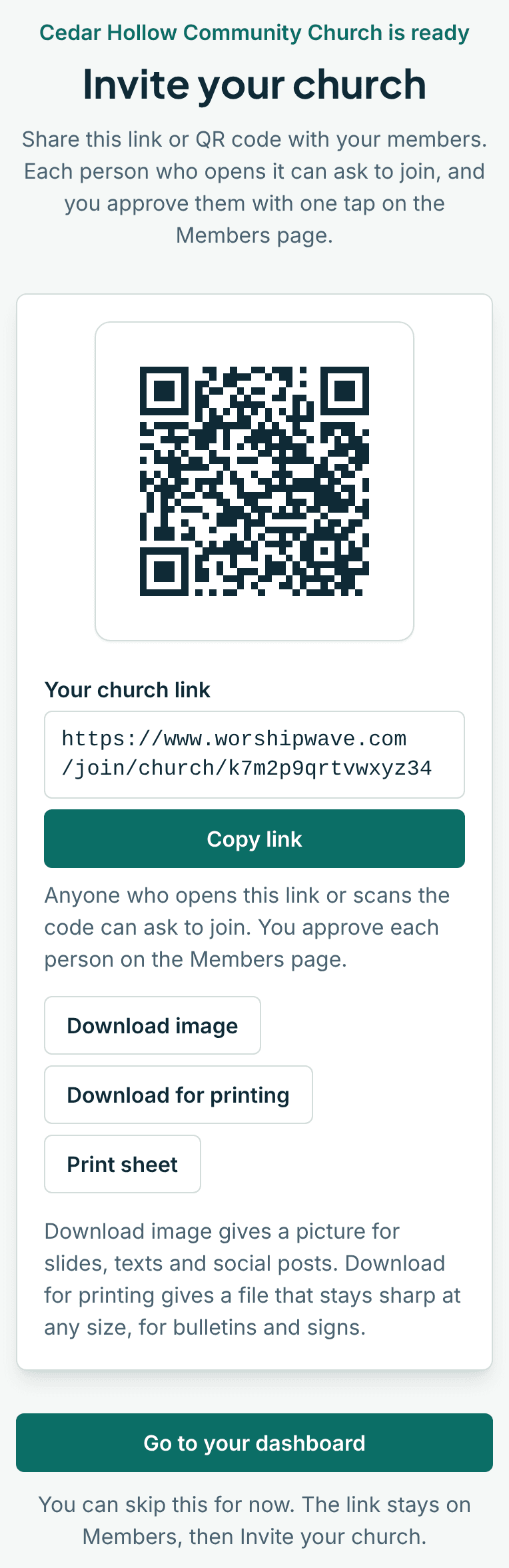
Right away you get one link and QR code for your whole church. Copy the link into a text or email, download the QR code for slides or the bulletin, or print a sheet for the welcome table.
You can skip this step. The same link stays on the Members page under Invite your church, and staff can reset it if it ends up somewhere it should not be.
Step 4. People ask to join
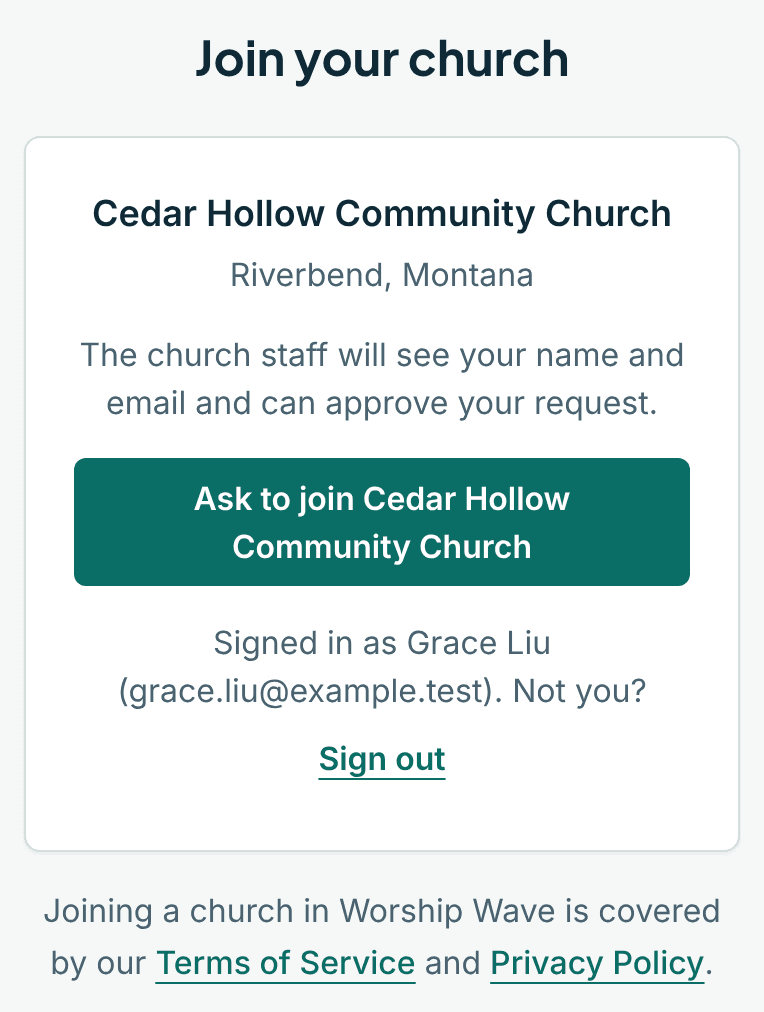
A member opens the link or scans the code, signs in or creates a login, and taps Ask to join. Opening the link alone sends nothing; the request goes only when they tap. People can also find your church by searching for its name or city.
Step 5. Approve each person
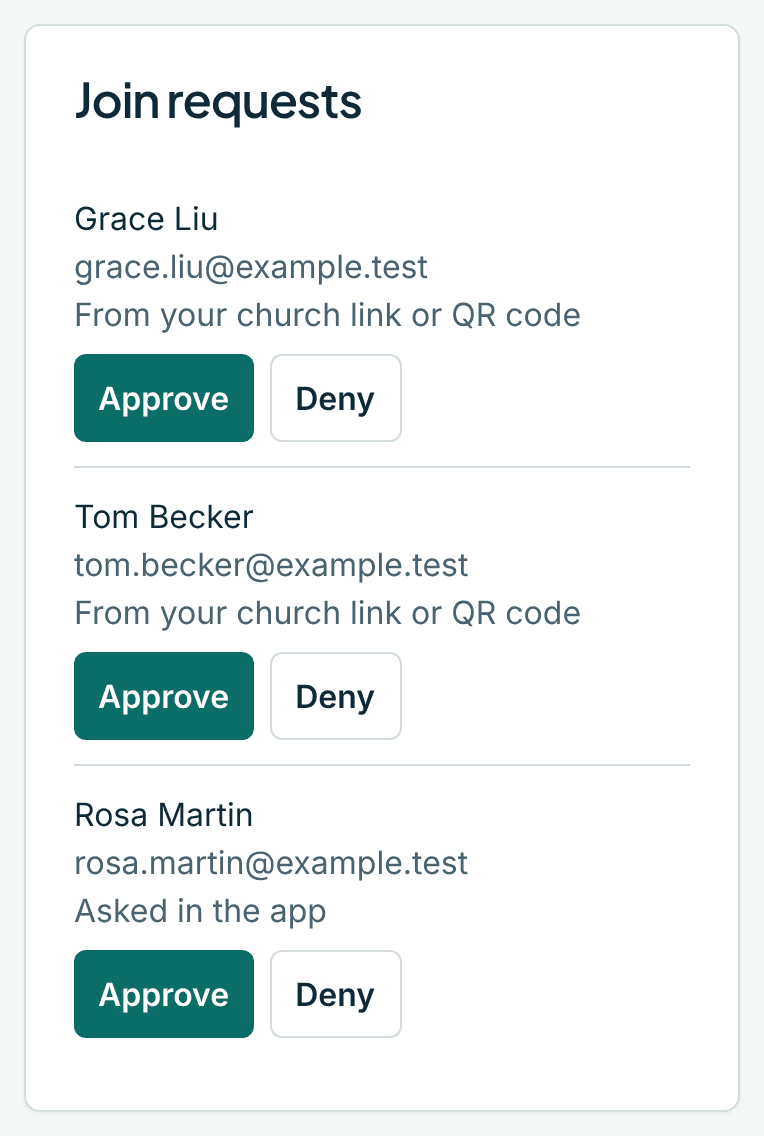
Requests wait on the Members page, each with Approve and Deny buttons. Nobody sees your directory or your church's feed until staff approve them.
If you would rather let adults in without a review, your Master Admin can turn that on. It is off unless they do.
Step 6. Add the rest of your list
Not everyone will log in, and that is fine. Staff can add people without a login one at a time, or import up to 2,000 people at once from a CSV file saved from your spreadsheet. Our guide on moving your member list out of a spreadsheet walks through cleaning the file first.
Step 7. Give your staff their roles
The Master Admin sets each person's role from their page in the member list, and chooses what staff can do under Settings, then Permissions, such as managing members or recording gifts. Only staff who manage members see members' email addresses and phone numbers.
Step 8. Run the week
From there, post events and take attendance, keep group rosters and record gifts by fund. On the paid plans your church also assigns volunteers to dates, where each volunteer sees their own schedule, and gets its own private feed, devotionals and announcements. Free covers up to 25 members without those. See pricing for what each plan includes.
Be one of our founding churches
Worship Wave is in a beta with a few hand-picked churches. The first 50 churches we welcome get 6 months of Growth free, then 40% off any paid plan for as long as they stay subscribed.
50 of 50 founding spots are left.
Apply to be a founding church